Combobox
A combobox allows the user to select or search from a list of options by typing in the input or selecting from a list of options.
The combobox should be used when the user needs a predefined list of options to choose from, the ability to filter the options by typing in the input, or enter a custom value. It is possible to either use this as a dropdown selection or search depending upon the use case.
Icon Variants
Section titled “Icon Variants”Depending on the use case there are two icon variants of the combobox.
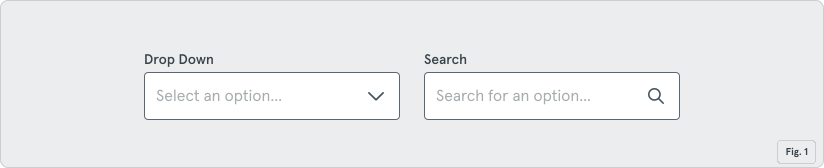
Dropdown
Section titled “Dropdown”The drop down variant could be used if the user has a smaller set of options to choose from and when they might be more inclined to open and review the list of options.
Search
Section titled “Search”The search variant would be more helpful if there was a large set of options for the user to choose from, where they would likely only be typing something and then reviewing the filtered list.
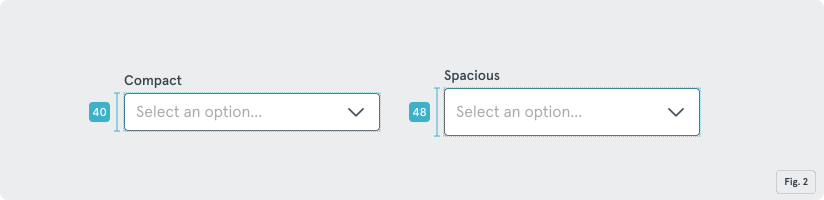
Like other inputs, the combobox is available in two sizes: default (48px) and compact (40px).
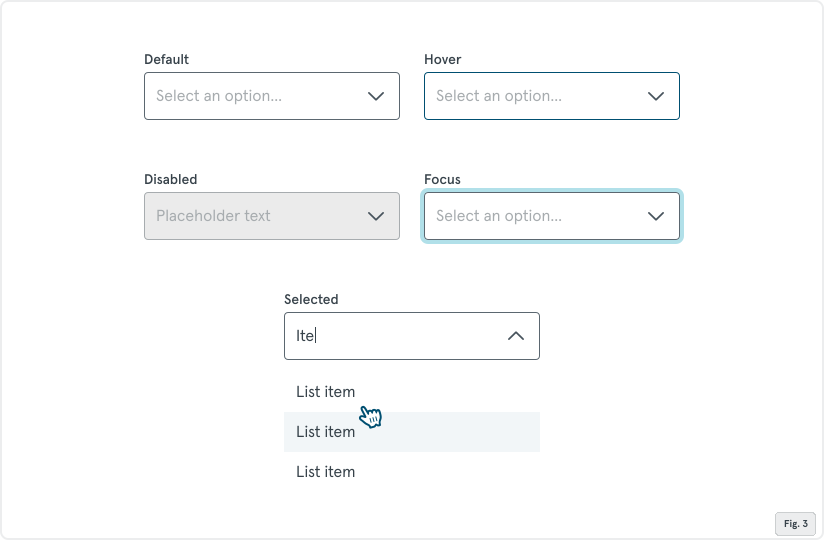
Behavior and States
Section titled “Behavior and States”Default, Hover, Selected/Listbox open, Disable, and Focus
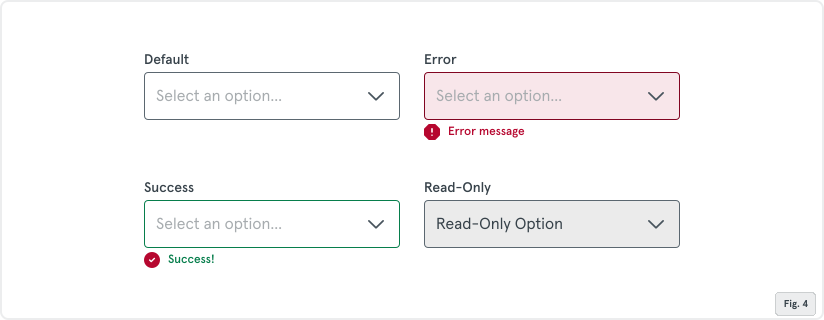
Statuses
Section titled “Statuses”Default, Error, Success, and Read Only