
Donut & Pie Charts
How to use this page
Section titled “How to use this page”All examples and samples on this page serve as a baseline. Start with the styles available here to maintain consistency. You may add additional complexity if needed, but be cognizant of users’ mental load, and use a different visualization if these charts aren’t the best fit.
Donut & Pie Charts
Section titled “Donut & Pie Charts”Pie charts show data as proportions of a whole, using slices of a circle to represent categories. Doughnut charts are a variation with a central cutout, providing space for additional information. These charts are best for:
- Visualizing 2-3 categories with clear differences.
- Highlighting proportions within a dataset.
Limitations
Section titled “Limitations”Avoid pie charts when slices are similar in size—users struggle to interpret small differences.
Consider bar charts or other visualizations for more precise comparisons.
Donut Chart Guidelines
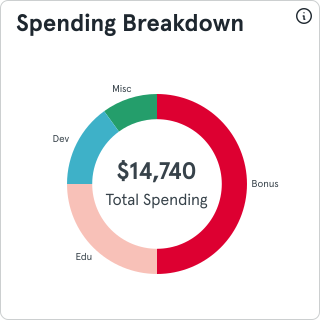
Section titled “Donut Chart Guidelines”- Center Information: Use the central space to display key metrics or summaries.
- Consistency: If doughnut charts replace pie charts, use them consistently across dashboards.
- Readability: Follow the same labeling and color principles as pie charts.
Pie Chart Guidelines
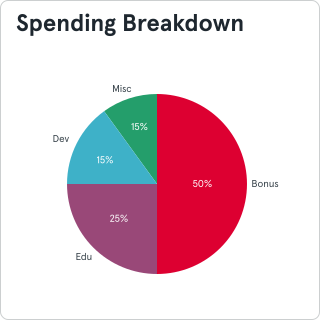
Section titled “Pie Chart Guidelines”- Labels: Clearly label each slice. Use connectors for small slices.
- Colors: Assign distinct, non-distracting colors to each category.
- Legends: Provide a legend if labels do not fit within the chart.
- Data Details: Use hover states or tooltips to display exact values in interactive formats.
Additional Tips
Section titled “Additional Tips”- Keep the total number of slices low for clarity.
- Use contrasting colors to emphasize important categories.
General Chart Pitfalls
Section titled “General Chart Pitfalls”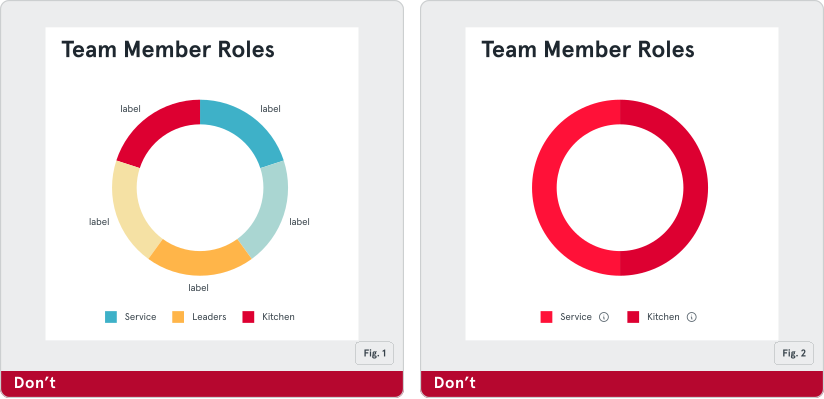
Fig. 1: Limit Slices for Clarity: Keep the number of slices to 5-6 to maintain readability and prevent clutter.
Fig. 2: Use Distinct Colors: Ensure slices have contrasting colors to make them easily distinguishable.
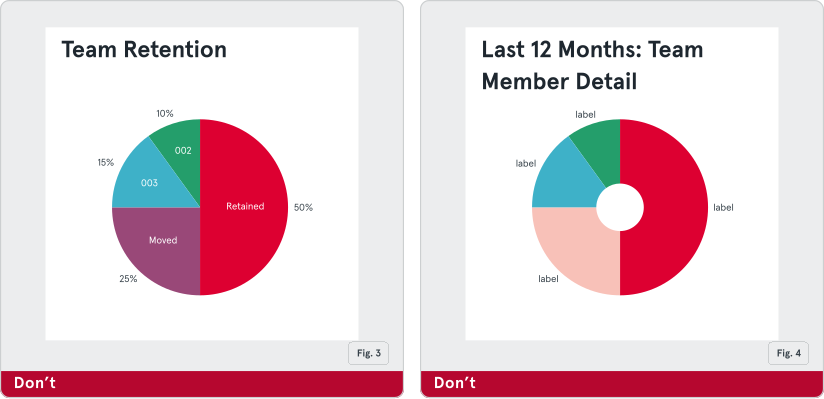
Fig. 3: Show Percentages or Values: Label each slice with percentages or values to provide context and clarity.
Fig. 4: Avoid Donut Hole Overuse: Keep the donut hole small to maintain focus on the data and avoid a ring-like appearance.