
Scatter & Bubble Charts
How to use this page
Section titled “How to use this page”All examples and samples on this page serve as a baseline. Start with the styles available here to maintain consistency. You may add additional complexity if needed, but be cognizant of users’ mental load, and use a different visualization if these charts aren’t the best fit.
Scatter & Bubble Charts
Section titled “Scatter & Bubble Charts”Scatter plots and bubble charts are powerful tools for visualizing relationships between two or more variables. Both chart types use points to represent data values, but bubble charts add a third variable by varying the size of the points.
When to Use Scatter Plots
Section titled “When to Use Scatter Plots”- To identify correlations or patterns between two variables.
- To detect clusters or outliers in a dataset.
- To explore the strength and direction of relationships (e.g., positive, negative, or none).
Scatter Plot Guidelines
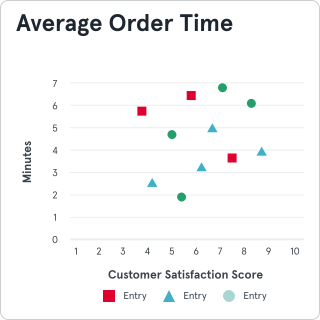
Section titled “Scatter Plot Guidelines”- Axes and Scale: Clearly label both axes and ensure the scale is consistent.
- Point Size and Style: Use uniform point sizes and subtle styling to avoid visual clutter.
- Color: Use contrasting colors for different data groups, ensuring accessibility for colorblind users.
- Trend Lines: Add optional trend lines to highlight overall patterns.
- Annotations: Use sparing annotations to emphasize significant clusters or outliers.
Bubble Charts
Section titled “Bubble Charts”Bubble charts expand on scatter plots by introducing a third variable, represented by the size of the points (bubbles).
When to Use Bubble Charts
Section titled “When to Use Bubble Charts”- To analyze three variables simultaneously.
- To compare magnitude differences between data points.
- To explore relationships between categories while highlighting their size.
Bubble Chart Guidelines
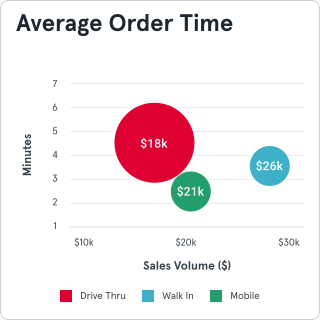
Section titled “Bubble Chart Guidelines”- Bubble Size: Ensure the bubble size accurately reflects the variable and is easily distinguishable.
- Color Coding: Use color to group or categorize data, but limit the palette to maintain clarity.
- Legend: Include a clear legend explaining both color and size.
- Axes and Gridlines: Label axes clearly and use minimal gridlines to enhance readability.
- Overlap: Minimize overlap between bubbles to avoid obscuring data.
Additional Tips
Section titled “Additional Tips”- Interactivity: In digital formats, add hover states or tooltips to show detailed information for each point.
- Data Density: Avoid overcrowding by sampling or summarizing large datasets.
- Responsiveness: Ensure charts adapt well to different screen sizes and resolutions.
- Minimalism: Keep the design clean to direct focus to the data, not the chart itself.
General Chart Pitfalls
Section titled “General Chart Pitfalls”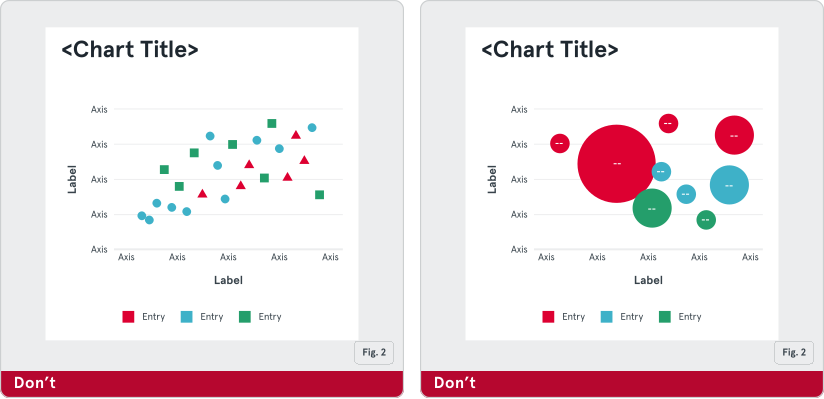
Fig. 1: Don’t overcrowd with too many data points.
Fig. 2: Don’t use oversized bubbles that overlap or mislead.
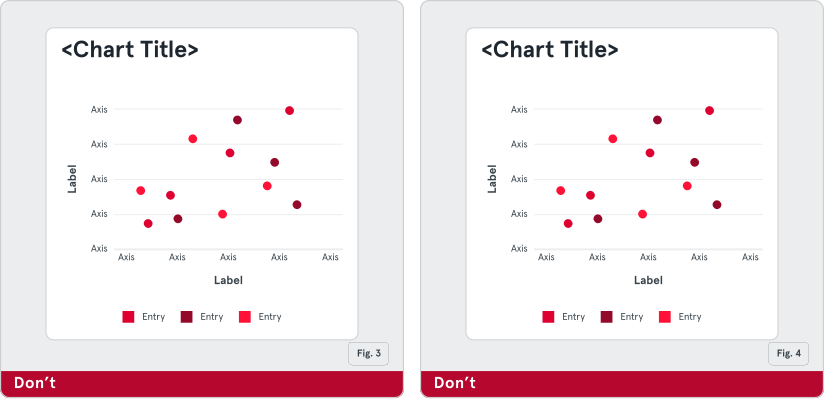
Fig. 3: Don’t ignore accessibility or poor color choices.
Fig. 4: Don’t skip axis labels or inconsistent scales.