
Color Best Practices
Colors Example
Section titled “Colors Example”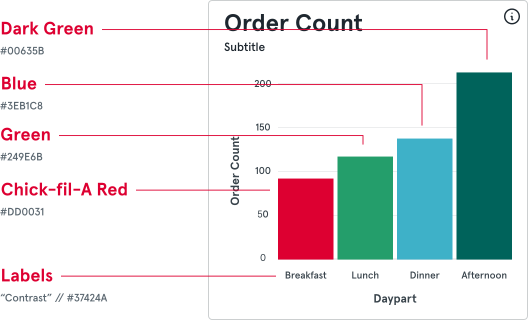
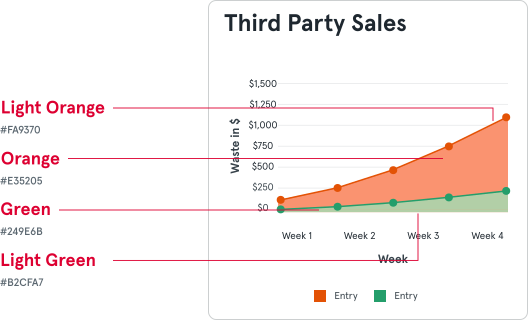
Text Color Contrast
Section titled “Text Color Contrast”The Web Content Accessibility Guidelines (WCAG) provide recommendations to improve web accessibility, including for users with blindness or low vision. Ensuring sufficient contrast between text and background helps meet these guidelines.
For more details, visit WCAG Guidelines.
Color Combinations
Section titled “Color Combinations”Acceptable Colors for Text
Section titled “Acceptable Colors for Text”
Color Pair
Section titled “Color Pair”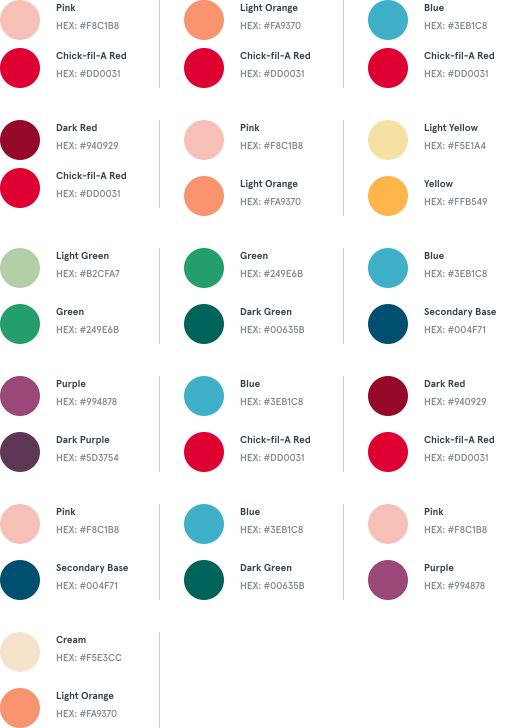
Mini Color Spectrums
Section titled “Mini Color Spectrums”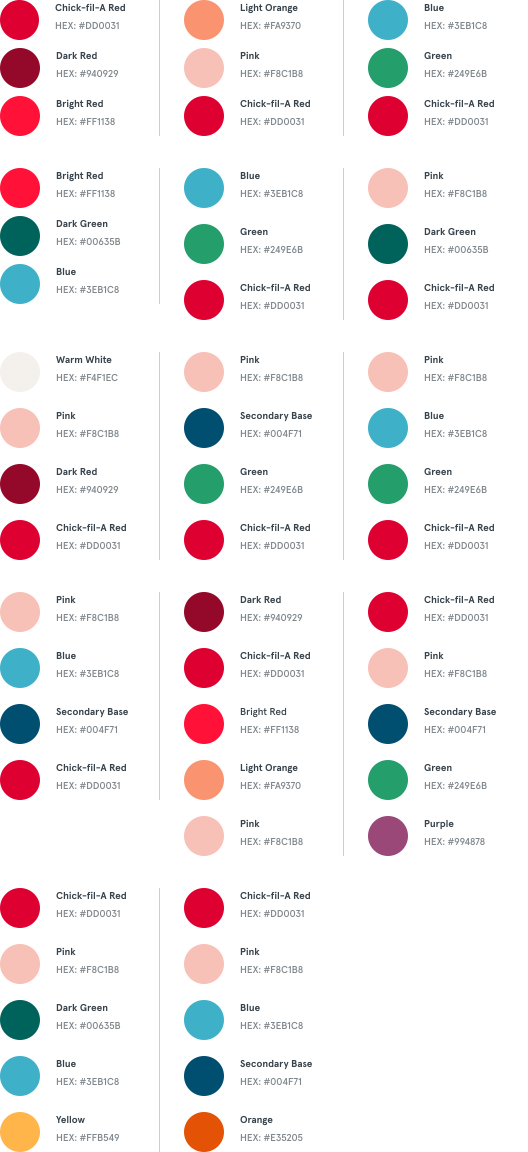
Color Spectrums
Section titled “Color Spectrums”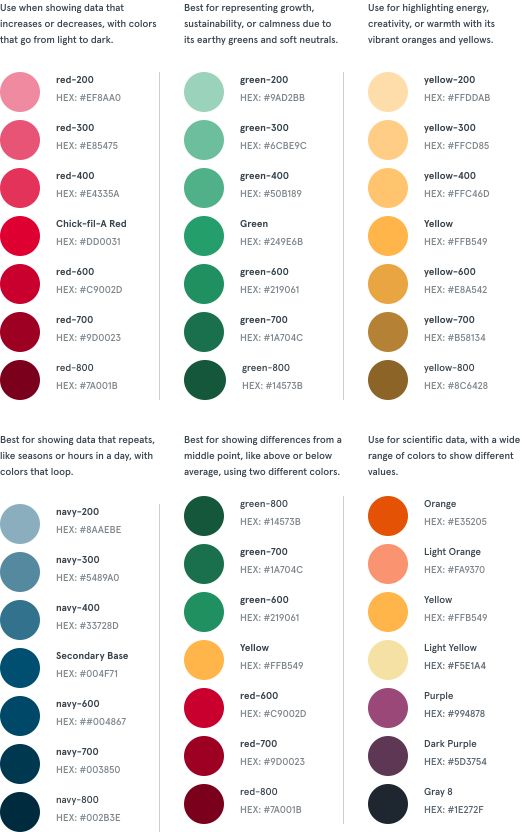
General Chart Pitfalls
Section titled “General Chart Pitfalls”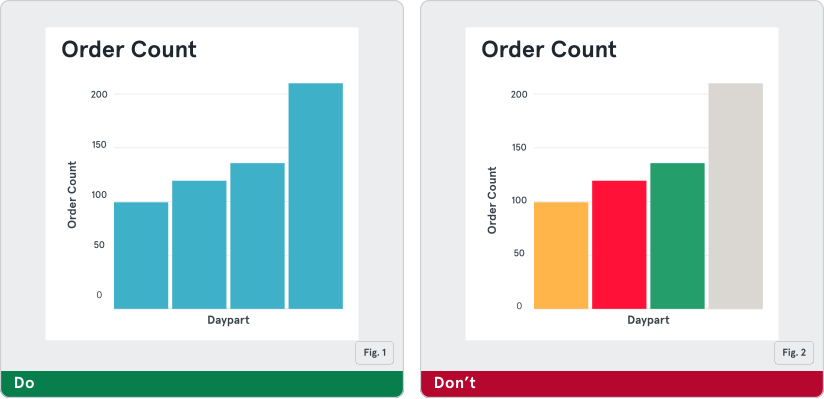
Fig. 1: Do use one color to consistently define a single value. For example, if you use blue to represent sales win rate in one chart, use it to represent that value in all other charts. Do use the same color to show the same metric for different categories in a bar chart.
Fig. 2: Do not use different colors to define the same value on a bar chart. For example, the drink sales should be the same color across all drink types. Do not use different colors to show the same metric on a bar chart.
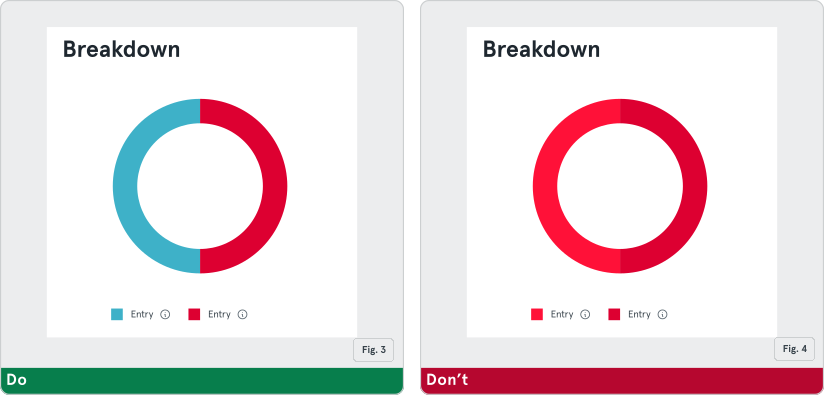
Fig. 3: Do use different colors to represent categorical data points in donut or tree-map.
Fig. 4: Do not use shades of the same color on a donut, pie, or tree-map. This makes it hard for users to tell the segments apart.
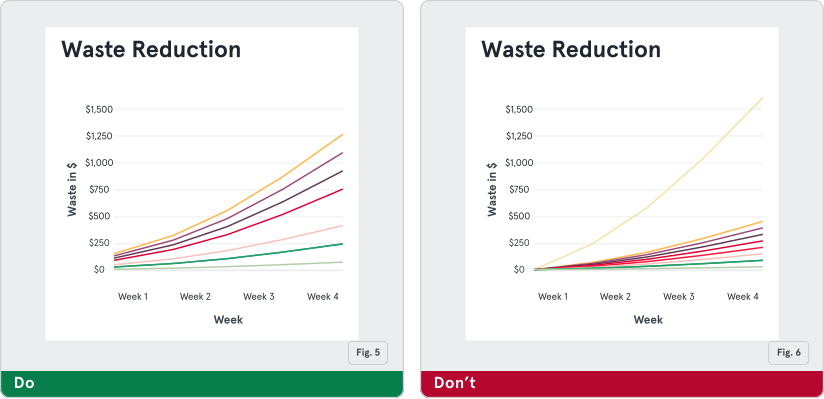
Fig. 5: Do use a minimal color palette when associating colors with numbers.
Fig. 6: Do not use too many colors when associating them with numbers.
All Design System Colors
Section titled “All Design System Colors”Semantic Colors
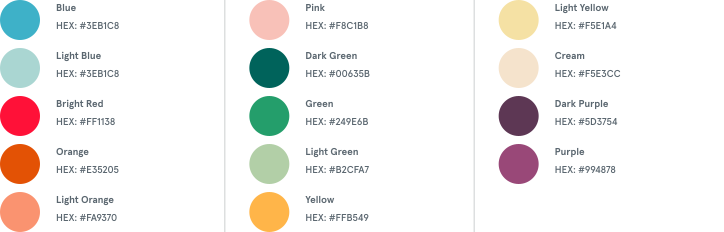
Section titled “Semantic Colors”Our tertiary palette helps add vibrancy—it can be used as a subtle detail that adds excitement in elements like local events and social media. Colors from the tertiary palette should be used sparingly.

Primary Palette
Section titled “Primary Palette”The primary color palette is used on sustaining elements of the brand and features our main brand colors: Chick-fil-A Red and white. Guests associate Chick-fil-A Red with our brand, so it’s used to highlight the most important elements. Most often use our primary palette for brand recognition.

Secondary Palette
Section titled “Secondary Palette”The secondary palette is still anchored by Red and white to feel recognizably Chick-fil-A, but adds navy, dark red, and grays for executions that call for a more refined look when connection to the brand is already established. Grays are used minimally to add depth for digital executions.

Tertiary Palette
Section titled “Tertiary Palette”Our semantic colors are used to represent a negative, critical, positive, neutral, or informational status. Each color has the same fundamental meaning in all contexts.
Grayscale
Section titled “Grayscale”Our grayscale colors are based off the gray provided by the Brand Standards (#5B6770).
